
Caregiving & Senior Safety
Long-Distance Caregiving: Supporting Elderly Parents from Afar
The DTP Team · 11 Sept 2026 · 9 min read
Caregiving & Senior Safety
 The DTP Team · 6 July 2026 · 6 min read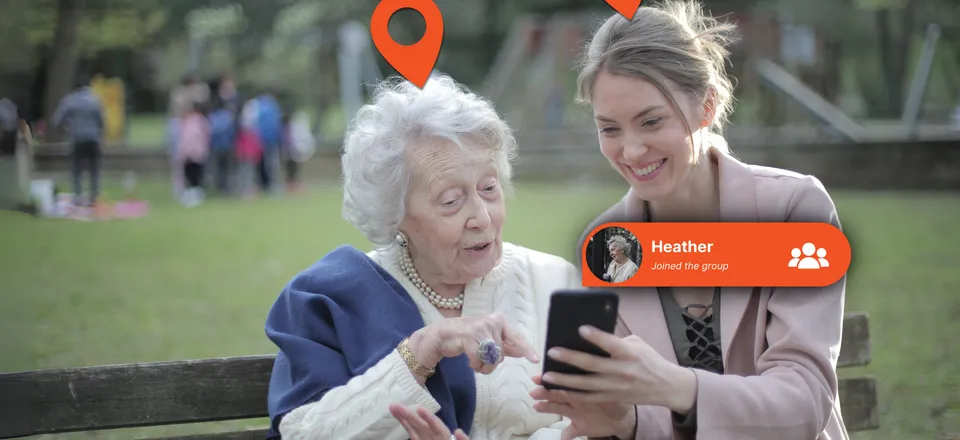
Bringing up location tracking with an elderly parent is rarely just a technical decision — it’s an emotional one, for both of you. Nobody wants to feel like they’re losing independence, and nobody wants to feel like they’re overstepping by asking. The good news is that the right app, introduced the right way, tends to land as reassurance rather than surveillance for both sides. This guide is about choosing that app, and having that conversation well.
The reasons vary, but a few come up again and again:
None of these are about control. They’re about closing the gap between “I hope they’re OK” and actually knowing.
Set up caregiving location sharing
Two-way, honest, and simple enough for the whole family to use.
For families supporting a parent with dementia, wandering is often the single biggest safety concern — and the one that makes location sharing feel less optional. A few things are worth knowing:
This is a sensitive area, and it’s worth having a conversation with a GP or memory specialist about the right approach for your specific situation — an app is one part of a wider care plan, not a replacement for one.
If your parent doesn’t reliably carry or charge a smartphone, a standalone GPS tracker — worn on a lanyard, clipped to keys, or built into a watch — can be a more realistic option than any app. They’re purpose-built for exactly this: simple, long battery life, nothing to accidentally close or uninstall. The trade-off is that it’s an extra device to remember, and most standalone trackers lack the two-way messaging and mutual visibility that make app-based sharing feel collaborative rather than one-directional.
If your parent already carries a smartphone reasonably reliably, a location sharing app usually works out simpler in practice: no new device to charge separately, no extra thing to lose, and the option for messaging and check-ins alongside location. A reasonable rule of thumb — if they already text you regularly, an app will probably work; if the phone mostly stays in a drawer, a dedicated tracker is worth considering instead.
Caregiving is rarely just one person’s responsibility, even when it feels that way day to day. If siblings, a partner, or a professional carer are also involved, it’s worth agreeing early on:
The conversation usually goes better than families expect, if it’s framed well:
Caregiving is one of the situations where trust matters most, and where getting the tone wrong can do real damage to a relationship. Device Tracker Plus is built around mutual, visible sharing rather than one-directional monitoring, cross-platform so it works regardless of what phone your parent already has, and backed by a simple commitment: we never sell your personal data. The location shared between you and your parent stays between you and your parent — not with advertisers, not with data brokers.
Try Device Tracker Plus for caregiving
Emergency alerts, geofencing, and 30-day history — set up together in minutes.
Getting this right isn’t really about the technology. It’s about building something that helps your family worry less, without anyone feeling watched. The right app just makes that easier to do well.
It's a fair worry, and the honest answer is: it depends on how you introduce it. Framed as a two-way safety net — something that also lets them check on you, or that you set up together rather than impose — most parents are far more receptive than families expect. The apps worth using are the ones that support that conversation, not ones designed to be installed quietly.
Dedicated GPS trackers are usually standalone devices — clipped to keys or worn — aimed at people who don't reliably carry a smartphone. Location sharing apps like Device Tracker Plus use the phone your parent already has, which works well for anyone comfortable carrying and charging a mobile, and avoids an extra device to remember.
With Device Tracker Plus, yes — sharing is mutual and visible on both sides, by design. We'd steer you away from any app marketed as a way to track someone secretly; beyond the trust issues, most of those tools are built for a completely different, often invasive purpose, not caregiving.
Lead with the two-way benefit rather than the monitoring angle. 'I want us to be able to check on each other' lands very differently to 'I want to keep an eye on you.' Letting them see your location too, not just the other way round, usually makes a real difference to how it feels.

Device Tracker Plus
We build Device Tracker Plus, a location-sharing app for families, couples and carers who want to stay connected without compromising on privacy. This blog is written by the same team that builds and supports the app.
The DTP Team · 11 Sept 2026 · 9 min read
The DTP Team · 7 Aug 2026 · 7 min read
Connection, not surveillance. Share your location with the people who matter — never with anyone else.
We never sell your personal data.